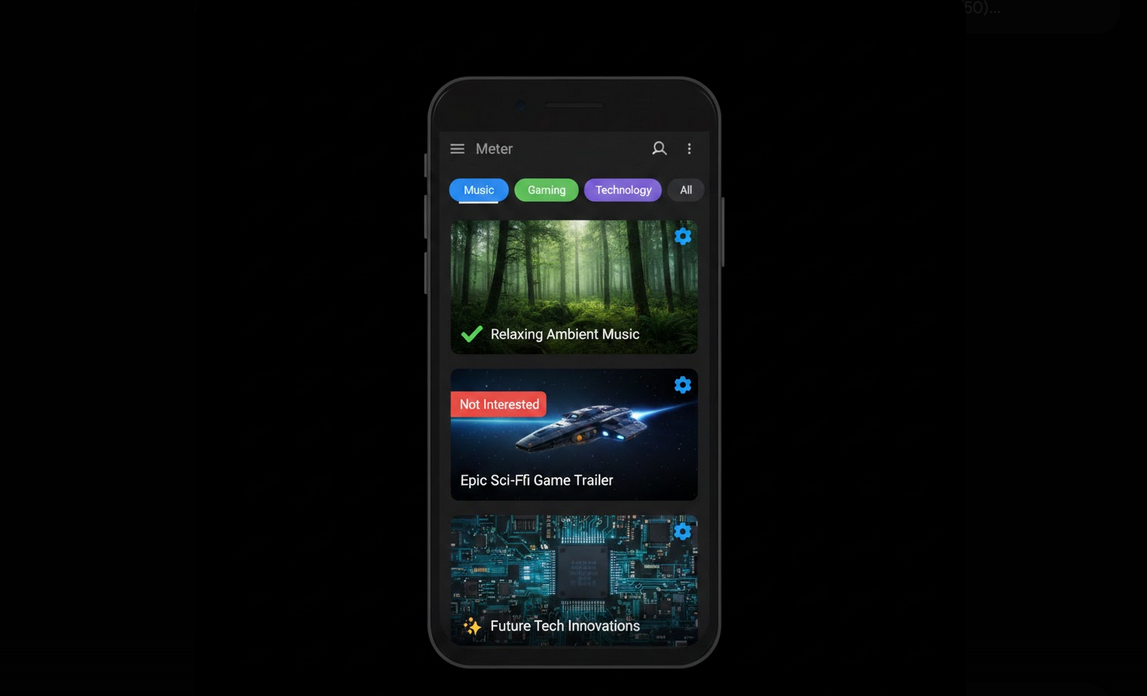
Upon opening the YouTube app, one will notice the homepage feed. Here one should receive content tailored specifically for him or her. Unfortunately, this feed is loaded with recommendation videos, trends, and even channels one has never subscribed to at all. Customization of this feed will make YouTube useful for its user.
What Happens in Your Feed
YouTube homepage feed creation algorithm relies on multiple factors. They include watch history, search queries, subscriptions, likes, user engagement level, popular videos among users with similar interests and others. There are different types of content included in your feed. They are subscribed videos, recommendations, trending videos, etc. Before starting personalizing your homepage feed, you must first understand what these factors stand for.
Topic Filter Chips
The dynamic line of filters on the top of your homepage allows filtering out the feed content according to its topic. Such filters are Music, Gaming, News, Recently Uploaded, and others.
- All: this option shows you the default feed containing videos of all topics.
- Topic Filters: select some specific topic to see related videos.
- New to You: this option shows you videos from the channels you have not seen yet.
- Recently Uploaded: this option shows you recent uploads from your subscribed channels.
Actions That Shape Your Feed
Each action performed by you on YouTube sends certain signals to the algorithm. Proper actions will help you shape your feed correctly.
- Like Videos: this option shows the algorithm that you would like to receive such videos more often.
- Not Interested: press the three-dot menu button on any video and select Not Interested in order to exclude it from your feed.
- Don’t Recommend Channel: blocking some channel makes the algorithm not recommend it to you anymore.
- Subscribe Actively: subscribe to those channels whose content you like to receive.
- Watch Fully: the full watch of the video means that you really like it. Otherwise, you are not interested in this video.
- Search Intentionally: your search queries will determine what topics will appear on your homepage.
Cleaning Up Your Feed
- Delete Watch History: this feature will help you delete some specific videos or the whole watch history.
- Review Subscriptions: unsubscribe from those channels whose videos you do not watch anymore.
- Use Incognito: while browsing some content in order not to affect your feed, use Incognito mode.
- Mark Aggressively: spend some time marking irrelevant recommendations as Not Interested.
- Pause History: disable your watch history temporarily in case some other person uses your device.
Personalizing Your Feed on YouTube Vanced
YouTube Vanced gives you all YouTube’s customization possibilities and even better experience. The ad-free interface means that there will be no ads on the homepage. This will show you true state of your feed that was created with the help of algorithm, without any advertisements that were paid for. Moreover, features such as SponsorBlock and Return YouTube Dislike will allow you to assess the quality of the video before opening it. Thanks to Vanced MicroG, all your customizations will be instantly applied due to account synchronization.
Feed Customization Long-Term Strategy
- Curate Weekly: spend some time every week deleting unnecessary videos and liking good ones.
- Balance Topics: watch videos of different topics in order to balance your feed.
- Explore Through Filters: use the New to You filter every time you are exploring your feed.
- Reassess Subscriptions Quarterly: clean up your subscription list every few months.
People Who Will Benefit from Personalizing Your Feed
- Daily Users: any person using YouTube daily and willing to personalize his/her feed.
- Focused Viewers: people watching some specific videos and willing to see them in the feed.
- Users of Shared Devices: people whose feeds are corrupted as some other person uses your account or device.
- Algorithm Skeptics: people preferring active curation to passive algorithm.
Conclusion
Your YouTube homepage feed does not have to be accepted passively. Personalization through likes, blocks, history management, and subscription cleaning will transform your feed into personalized content flow. With the help of YouTube Vanced, you will be able to remove all ads and create your perfect YouTube homepage consisting of recommendations only.